Skip to content
SPAWNLOFT / WHAT YOU CAN DO

Everything a server needs.
Nothing it doesn’t.

SpawnLoft is a desktop app for running Minecraft Java Edition servers on your own Windows PC, Mac or Linux machine. Worlds, plugins, console, databases and backups in one window — for the people who want to play with friends, and the people writing the plugin.

FREE · OPEN SOURCE · MIT LICENCE · NO ACCOUNT
FOUR THINGS PEOPLE COME HERE FOR

Pick the job. Not the feature list.

Capabilities in the shipped app
01 / RUN IT

Run the server you actually want.

Pick the software and the Minecraft version. SpawnLoft fetches it, checks it, and starts it. Or point it at the server you already run and nothing moves.

  • Paper, Purpur, Folia, Spigot, CraftBukkit and vanilla
  • Fabric and NeoForge for mods
  • A whole Modrinth modpack in one step
  • Import an existing server folder in place
Every server software
02 / SHAPE IT

Make it unmistakably yours.

Search Modrinth and Hangar in the same window, install what fits your server, and see when something has an update waiting.

  • Modrinth and Hangar searched together
  • Only what your software can load
  • Update checks across everything installed
  • A snapshot before an update, automatically
Plugins and mods
03 / KEEP IT

Keep the world you built.

Backups on a schedule that get read back to prove they restore. Scheduled restarts. And when a server falls over, a read of why before you go looking.

  • Scheduled backups, verified not just written
  • Restore a world, plugins or config
  • Crash reports summarised in plain language
  • Optional automatic restart after a crash
How backups work
04 / WORK ON IT

Treat it like a project.

For the people writing the plugin rather than only running it. Clone a server into a disposable copy, drive everything from a terminal, or let an AI assistant you choose do the checking.

  • Clone to a throwaway server on its own port
  • RCON command and reply, without the blocking shell
  • Structured JSON and CSV out of the command line
  • An MCP server for Claude or any MCP app
AI assistants and MCP
THE INTEGRATION SURFACE

What it works with.

The software it can run, the registries it can search, the services it can manage, and the ways you can drive it from somewhere other than the window.

Server software

Downloaded and checked, or built here.
  • Paper
  • Purpur
  • Folia
  • Advanced Slime Paper
  • Spigot
  • CraftBukkit
  • Vanilla
  • Fabric
  • NeoForge

Paper, ASP and NeoForge verify by sha256, Purpur by md5, vanilla by sha1. SpigotMC publishes no jars, so BuildTools compiles Spigot and CraftBukkit on your machine.

Sources and verification

Plugins, mods and packs

Two registries, one search field.
  • Modrinth
  • Hangar
  • Modrinth modpacks
  • Local jar store
  • Saved templates

A Paper server searches Modrinth and Hangar. A Fabric or NeoForge server gets a Mods tool and searches Modrinth for its loader. Folia is offered only Folia-built plugins.

Installing and updating

Databases

Managed for you, running locally.
  • MySQL 8.4 LTS
  • Garnet (Redis-compatible)

Set up and supervised by SpawnLoft, on your machine. Managed MySQL needs macOS 15+ on a Mac and x64 on Linux; Garnet runs everywhere. Plugin configuration stays yours to write.

Connection details

Tools and automation

For scripts, terminals and assistants.
  • RCON
  • Command line
  • JSON + CSV output
  • MCP
  • Task Scheduler
  • launchd
  • systemd timers

The same engine runs from a terminal as from the window. Scheduling uses whatever your operating system already has. The MCP server redacts passwords and hides player IPs before anything reaches a model.

Command reference
ACTUAL SCREENS, NOT MOCKUPS

This is the app.

Take a tour of the panel
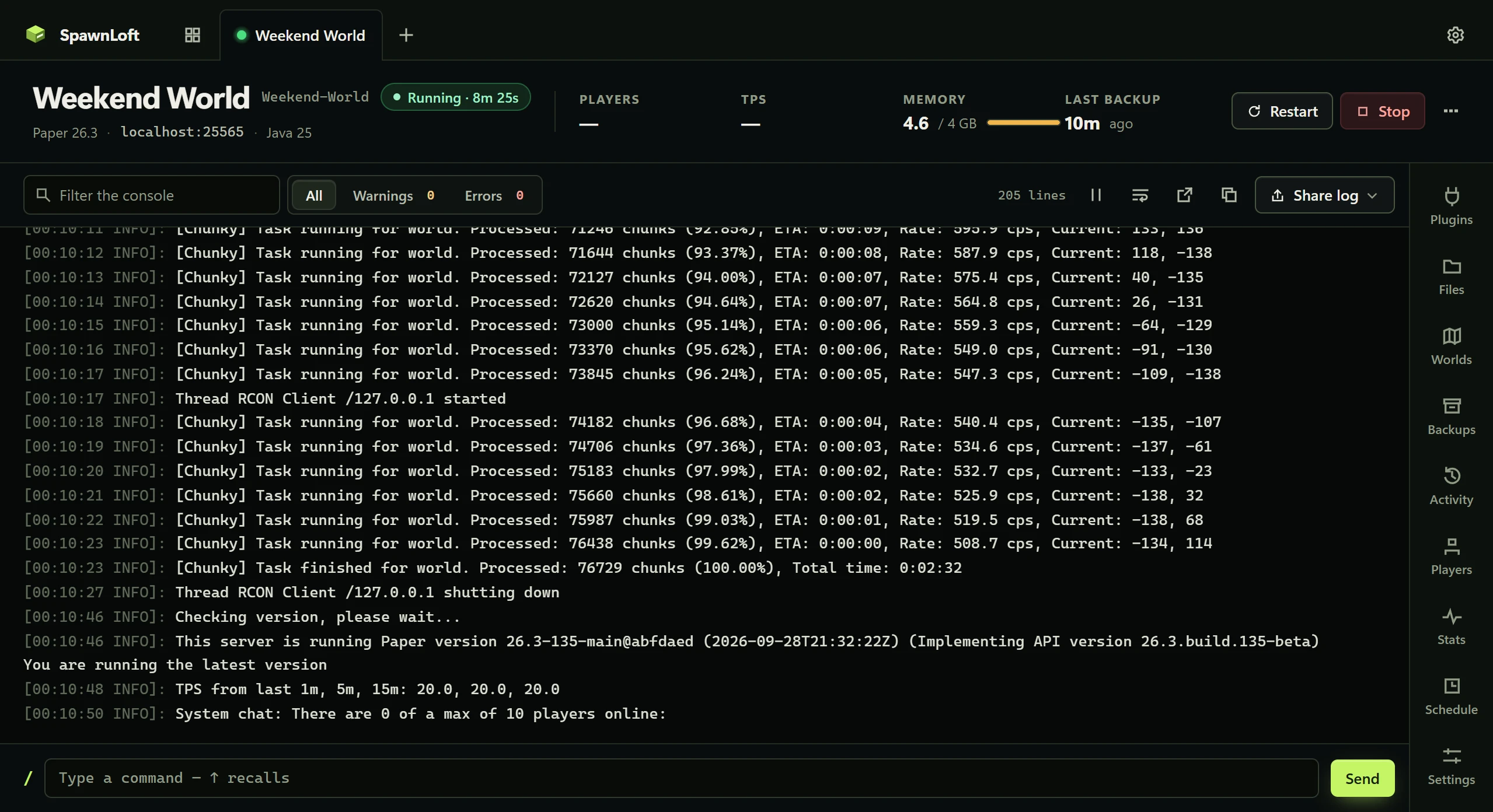
The SpawnLoft console panel, captured from the running app.
The console, not a log file.Follow what the server is saying, search it, and send a command without losing your place.Open the full capture
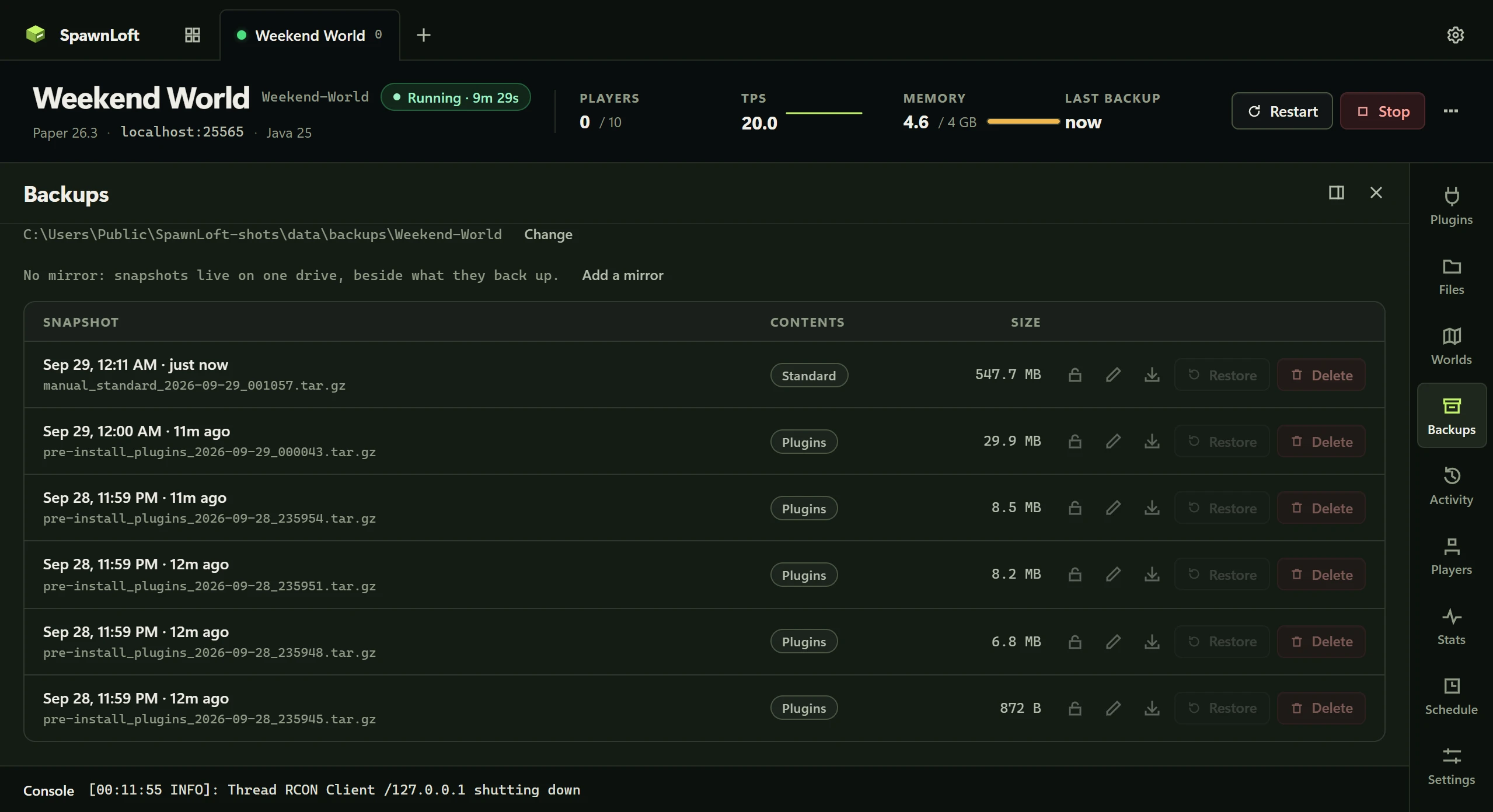
The SpawnLoft backups panel, captured from the running app.
Backups you can trust.Scheduled, verified, and restorable to a point you choose.Open the full capture
ONE RELEASE, THREE PLATFORMS

Built and tested on each.

Windows

10 or 11 · x64
  • Signed installer, per user
  • Managed MySQL and Garnet
  • Schedules via Task Scheduler

macOS

13+ · Apple Silicon or Intel
  • Signed, notarized and stapled
  • Managed MySQL needs macOS 15+
  • Schedules via launchd

Linux

.deb and .rpm · x64 or arm64
  • Hash-verified packages
  • Managed MySQL on x64 only
  • A command-line-only build for servers
The full platform matrix
WORTH KNOWING BEFORE YOU DOWNLOAD

And three things it doesn’t do.

It does not open your network.

Friends on your own network connect to your local address. Anyone further away needs a port forward or a tunnel that you decide to set up. SpawnLoft never exposes your machine on its own.

What stays local

It does not supply Java.

Minecraft servers are Java programs. SpawnLoft finds the Java you have, tells you when it is missing or too old, and links the version your Minecraft needs — but it cannot ship it for you.

Which Java you need

It needs your computer on.

This is a server on your own machine. Asleep or shut down means offline. If you want a world that is up while you are not, a host is the honest answer and the comparison says so.

Where other tools fit

Sounds like your kind of server?

Free, open source, and running on your machine in about ten minutes.