
How the SpawnLoft island is built
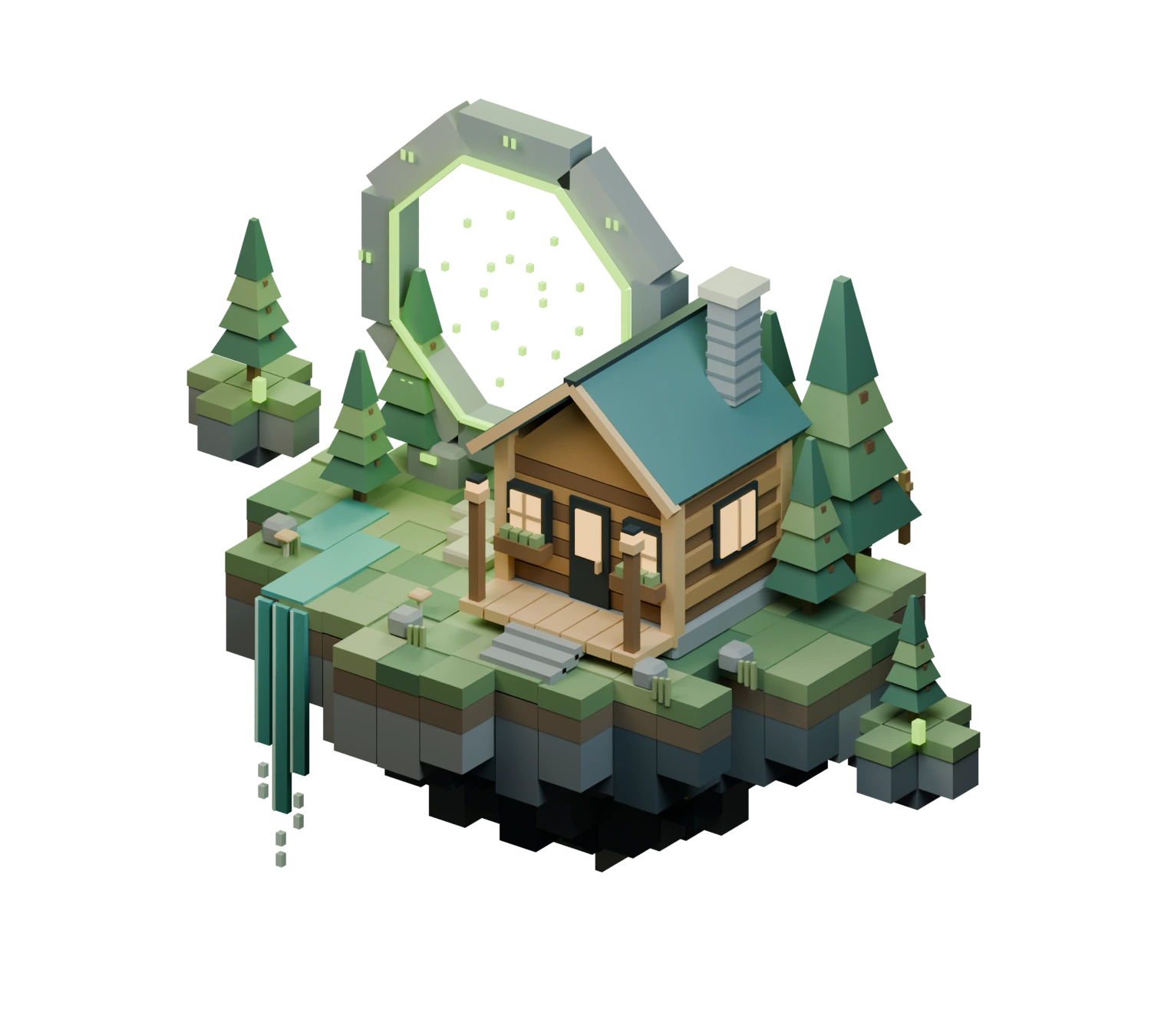
The island on the landing page was not sculpted by hand. It is the output of a Blender script of fewer than 200 lines, tools/build-world.py, that places boxes, cones and a few triangles until a cabin, a portal, a stream and a server rack exist. Run the script and you get the same island every time: the Blender scene, a 633 KB .glb for the browser, and the poster image above that the site shows when WebGL is unavailable.
This post walks through how the script works, how the result is organised so a web page can move it, and what that costs.
Everything is a box
Almost every part of the island goes through one small helper. It takes a name, a position, a size, a material and a parent group, and optionally a bevel width:
def cube(n,loc,dim,m,p=World,bev=0):
 bpy.ops.mesh.primitive_cube_add(size=1,location=loc); o=bpy.context.object; o.name=n; o.scale=dim; bpy.ops.object.transform_apply(location=False,rotation=False,scale=True); o.data.materials.append(m); o.parent=p
 if bev:
  mod=o.modifiers.new('Crafted edge','BEVEL'); mod.width=bev; mod.segments=1; bpy.context.view_layer.objects.active=o; bpy.ops.object.modifier_apply(modifier=mod.name)
 return o
Grass tiles, log courses, window panes and the vents on the server rack are all calls to cube(). Pine boughs use a four-sided cone, and the two gable ends of the cabin are single triangles. The short vocabulary is what gives the island its voxel look, and it keeps the geometry cheap.
The ground is a loop with some randomness
The island is a grid of columns, kept when they fall inside an ellipse. Each column gets a grass tile, a soil lip, and a block of basalt underneath whose height grows toward the middle, so the underside tapers like a hanging island:
random.seed(31)
...
for ix in range(-6,7):
 for iy in range(-5,6):
  if (ix/6.2)**2+(iy/5.2)**2>1 or (ix==5 and iy==-2): continue
  x,y=ix*.44,iy*.44; top=.04+random.choice([0,.015,.025]);
  cube('Velvet grass',(x,y,top),(.442,.442,.19),random.choice(moss))
  cube('Soil lip',(x,y,-.16),(.435,.435,.22),soil)
  edge=(ix/6.2)**2+(iy/5.2)**2
  h=.40+(1-edge)*.72+random.uniform(-.1,.20)
  cube('Fractured basalt',(x,y,-.26-h/2),(.43,.43,h),random.choice(rock),Foundation)
Each tile picks one of four moss tones and each basalt block one of four rock tones, with a small random height. The tiles are 0.442 wide on a 0.44 grid, so neighbours overlap slightly and no seams show. The seed is fixed at 31, which is why the island comes out the same on every run.
Details are small loops
The rest of the island follows the same pattern. The cabin has eight log courses that alternate between two timbers. Its roof is two slabs tilted 40 degrees, each with eight standing-seam strips. The portal is eight stone beams around an octagon, each with a lime inner rail and two carved glyphs, plus 18 floating particles placed on a spiral. Under the stone sits a server core with three drawers, each with a status light and five vents, and a lime underglow.
A few lines each, and the island fills in.
Six groups, because the page moves them
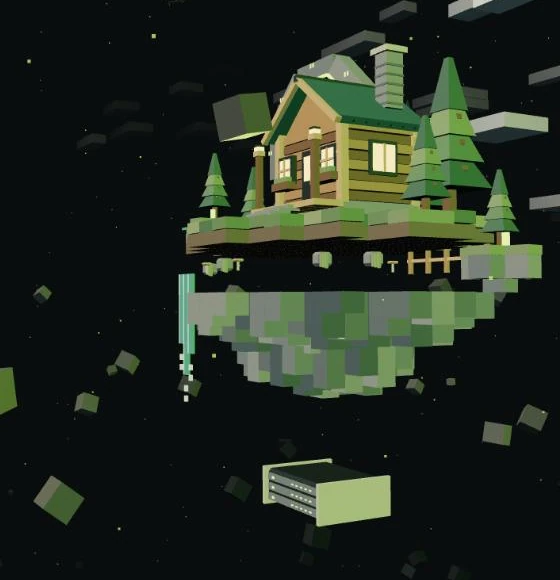
Every object is parented to one of six empty groups at the origin: World, Foundation, Core, Satellites, Portal and Details. That split is the reason the model is useful on a web page. three.js can lift, drop or rotate a group as a single object, so the site can take the island apart without any knowledge of the individual blocks.
46 meshes, 22 materials, no textures
Before export, the script joins the objects in each group by material and bakes their transforms, so every vertex sits in shared coordinates:
for p in [World,Foundation,Core,Satellites,Portal,Details]:
 buckets={}
 for o in list(p.children):
  if o.type=='MESH': buckets.setdefault(o.data.materials[0].name,[]).append(o)
 # ...then join each bucket, name it, and apply the transforms
The whole island ends up as 46 meshes, one per material per group. Each mesh is a draw call, the unit of work a browser hands to the graphics card, so batching by material keeps the cost low. There are no textures at all. The 22 materials are flat colours with names like Fern 2, Basalt 0, Limestone and Golden cedar, and the strongest glows belong to Portal ion lime and Warm windows.
Light is the site's job
The .glb carries geometry and materials only, with no lights and no camera. The Descent page lights it in three.js with a hemisphere light plus a warm key, a lime rim and a cool fill. The poster uses a different setup, because it is rendered in Blender: Cycles at 40 samples, an orthographic camera, three soft area lights and a small lime point light at the portal, on a transparent background.
Rebuilding it
From the repository root, with Blender 5.2 and Python with Pillow installed:
& 'C:\Program Files\Blender Foundation\Blender 5.2\blender.exe' --background --python tools/build-world.pyOne thing to know: the script overwrites the .blend and the .glb, so a hand-edited variant needs to be saved under another name first.
What this costs and what it buys
Generating the island has a price. Because the export joins everything by material, changing a single block means editing the script, or splitting that mesh back into loose parts in Blender. The look is also limited to boxes, cones and triangles.
In return, the island lives in a diff. A change to the roof angle or the number of log courses is a one-line edit that can be reviewed like any other code, the palette stays consistent because it is defined once, and the file stays small enough to load quickly.
The generator, the Blender scene and the exported model are all in the site repository: start with tools/build-world.py and art/WORLD.md.